Affiliate Dashboard (Superfiliate)
Page 1 · Read as text
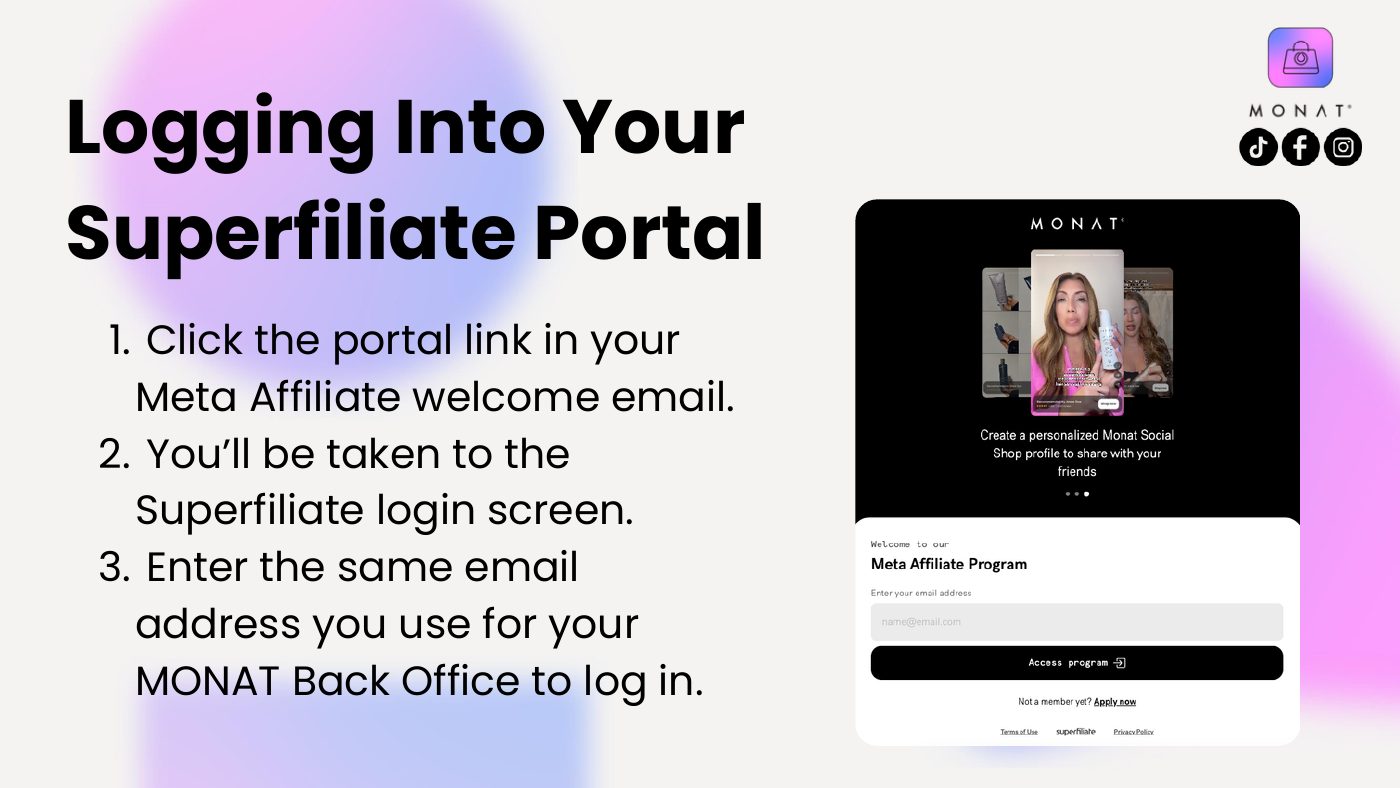
Logging Into Your
Superfiliate Portal
1. Click the portal link in your
Meta Affiliate welcome email.
2. You’ll be taken to the
Superfiliate login screen.
3. Enter the same email
address you use for your
MONAT Back Office to log in.
Page 2 · Read as text
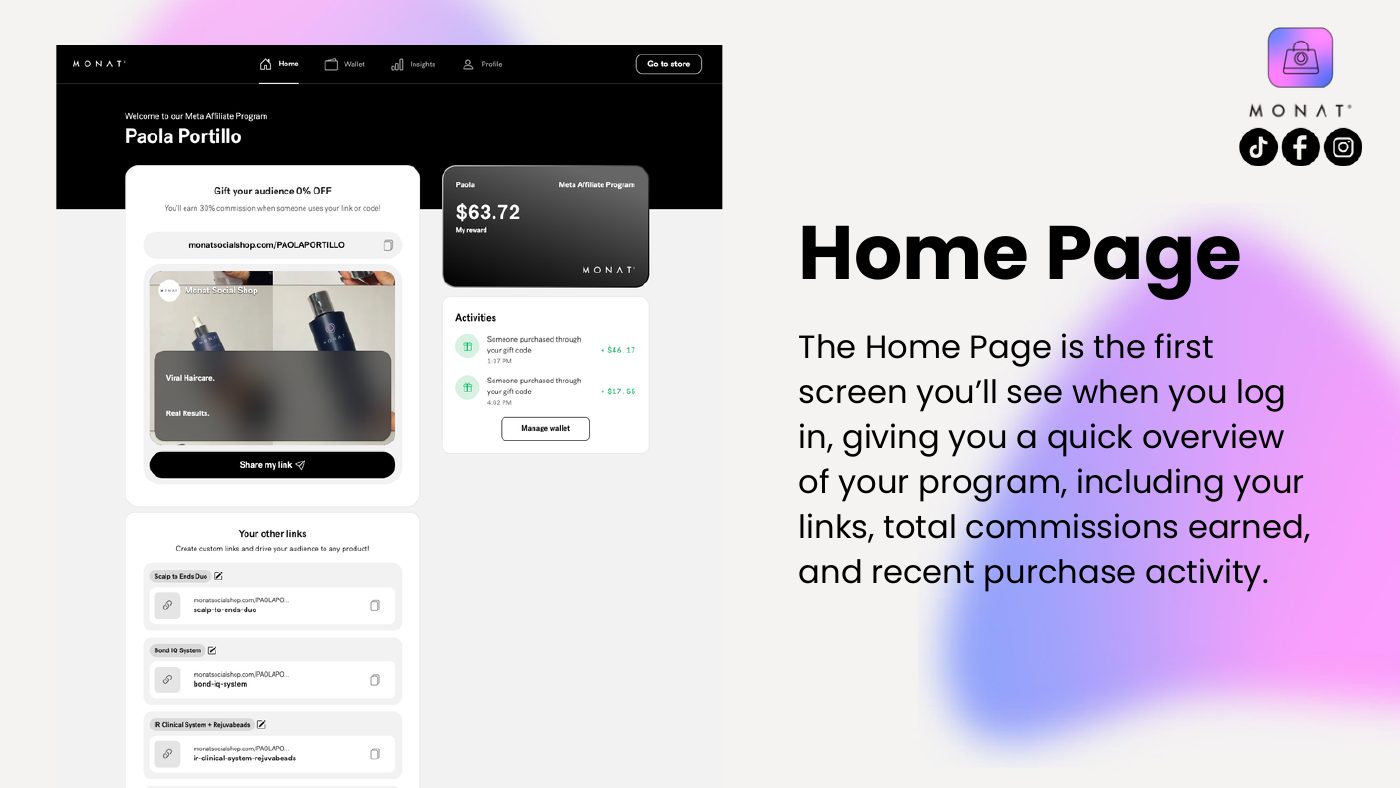
Home Page
The Home Page is the first
screen you’ll see when you log
in, giving you a quick overview
of your program, including your
links, total commissions earned,
and recent purchase activity.
Page 3 · Read as text
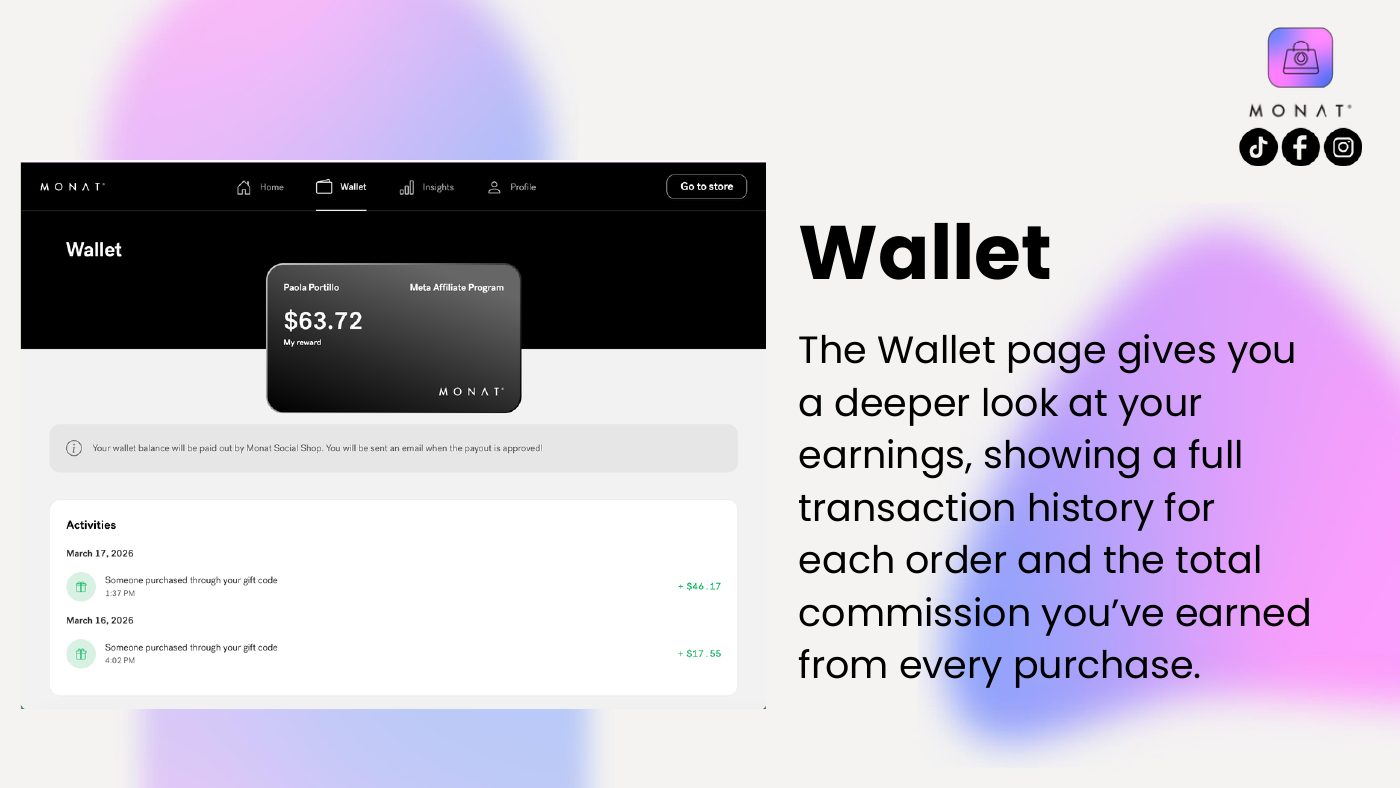
Wallet
The Wallet page gives you
a deeper look at your
earnings, showing a full
transaction history for
each order and the total
commission you’ve earned
from every purchase.
Page 4 · Read as text
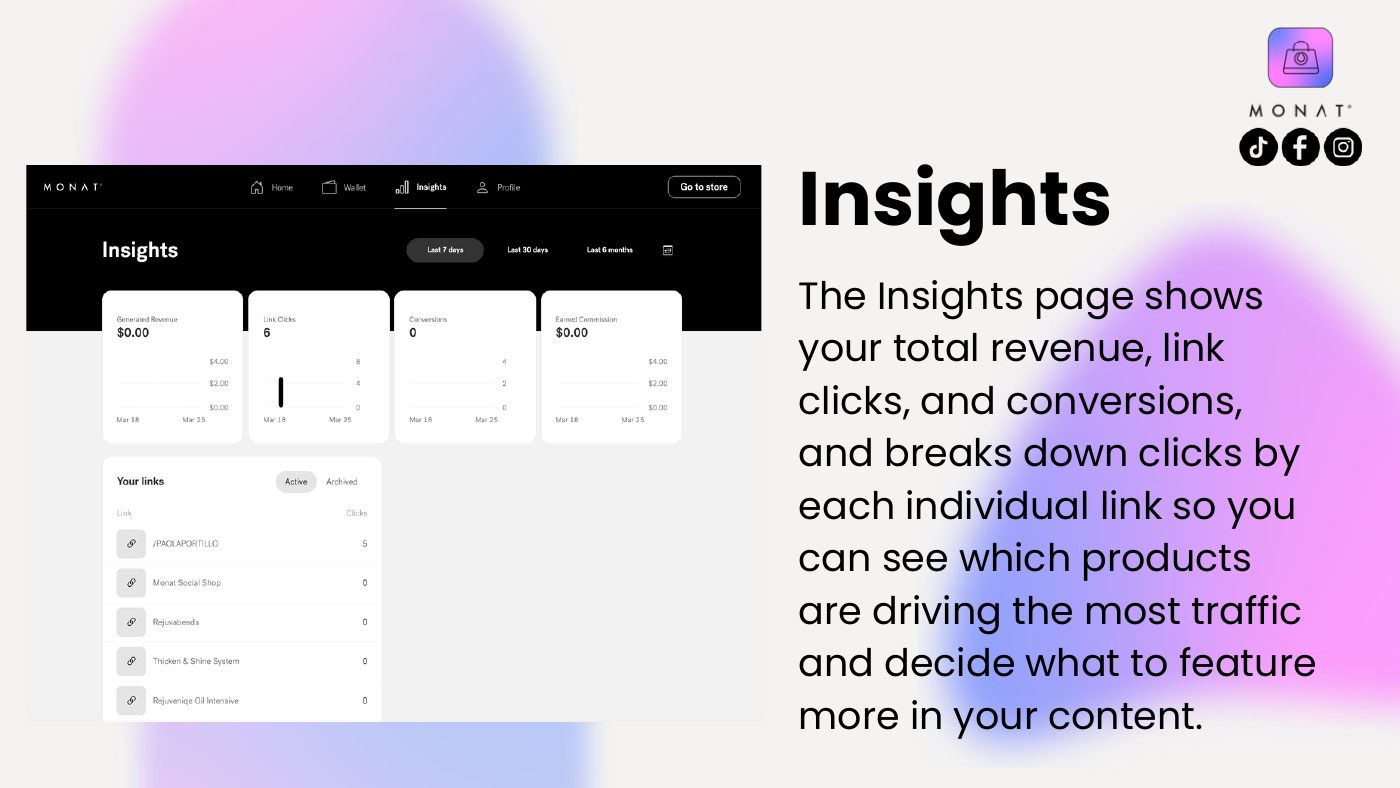
Insights
The Insights page shows
your total revenue, link
clicks, and conversions,
and breaks down clicks by
each individual link so you
can see which products
are driving the most traffic
and decide what to feature
more in your content.
Page 5 · Read as text
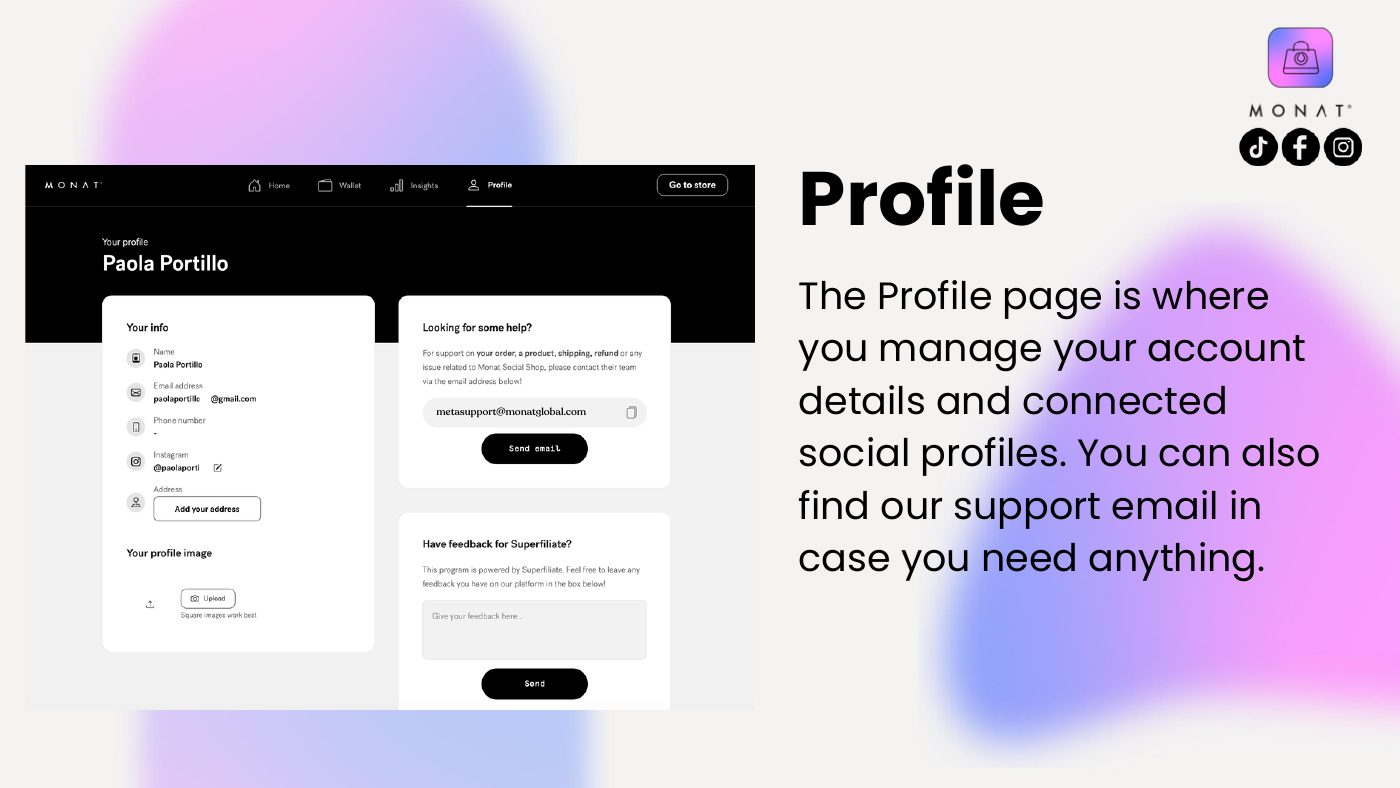
Profile
metasupport@monatglobal.com
The Profile page is where
you manage your account
details and connected
social profiles. You can also
find our support email in
case you need anything.